
Northspin App
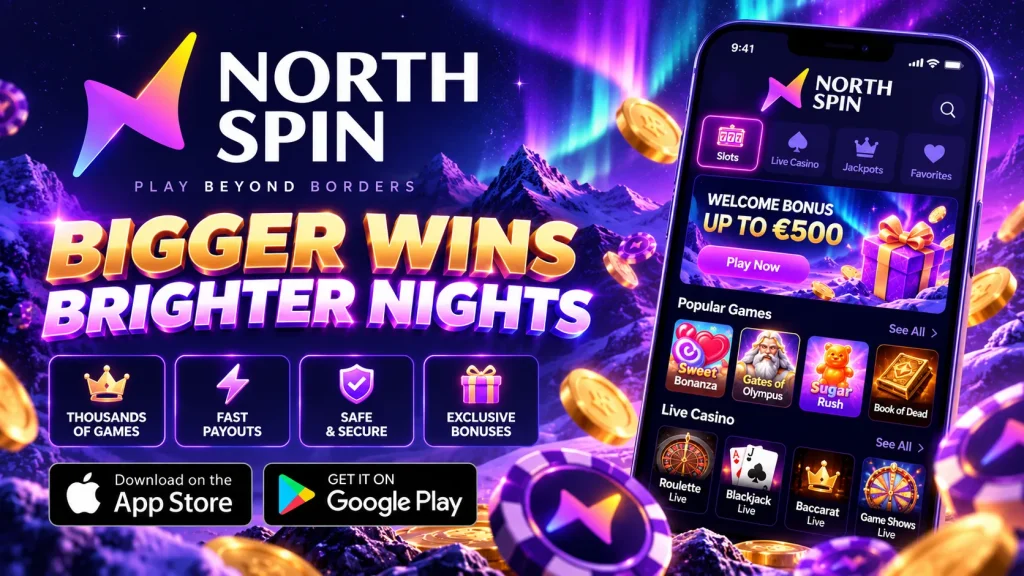
Your phone is the device you reach for first, so it should be where your casino gives the most back. The Northspin app is built around that idea: clear offers, quick claiming, a full game library and terms you can read before you opt in. This guide explains how the North spin app works for players in Canada, what you can claim, how to install it and what to do if something goes wrong.
Why Playing Through the App Pays Off
Value is not only about bonus size. It is also about how much of your time and money goes into actual play. On Northspin mobile, the lobby opens in a couple of taps, your payment method is saved, and offers sit on one promotions screen instead of being buried in menus. You spend less time hunting for a promo code and more time picking a game you enjoy.
Compared with desktop, the app adds three things: push alerts for time-limited promotions, biometric login so you never retype a password on the bus, and a layout designed for thumbs rather than a mouse. Many offers are available on both platforms, and we say so on each offer card. Some flash reloads reach app users first. Whatever the promotion, we show the terms before you opt in, because a bonus you do not understand is not value.
App Offers With Terms You Can Actually Read
Every promotion at North spin follows one rule: the key terms appear on the offer card in plain language. Before you accept, check the minimum deposit, the wagering requirement, how long the bonus stays valid, which games count and the maximum bet allowed while wagering. Exact figures change by campaign, so we do not print them here. You will see the live numbers in the cashier and the promotions tab. Bonus funds are entertainment credit, not a promise of profit, and you can decline any offer. If a term is unclear, ask live chat before depositing. The table below shows how the main promotions in the Northspin app are typically structured.
| Offer type | How you get it | Terms to check |
|---|---|---|
| Welcome bonus | Opt in at your first deposit | Minimum deposit, wagering, validity window, excluded games |
| Free spins | Bundled with a deposit offer or sent by push | Eligible slot, spin value, wagering on winnings, expiry |
| Reload bonus | Promotions tab, often around weekends | Minimum deposit, wagering, maximum bet |
| Push-notification deals | Alerts, if you switch them on | Short validity, manual opt-in |
| Loyalty rewards | Points from real-money play | Conversion rate, tier rules, point expiry |
Welcome Bonus and Free Spins
New players can usually pair a first-deposit match with a batch of free spins on a featured slot. Opt in during the deposit step, because bonuses generally cannot be added afterward. Free spin winnings are often credited as bonus funds with their own wagering requirement, and unused spins expire after a stated period, normally a matter of days. Slots typically count fully toward wagering, while table and live games contribute less or nothing. Open the in-app terms link before confirming; it takes seconds and prevents surprises. If you prefer to play without a bonus, simply untick the option, and your deposit stays real money with no bonus conditions attached.
Reload Deals and Push Notifications
Reloads reward you for coming back, usually as a percentage match or spins tied to a deposit window. Push notifications are where the app earns its keep. We send time-limited offers, tournament starts and new game drops to players who switch alerts on. Some are in-app only and carry short validity windows, so read the expiry before tapping. You control the volume, and notification settings let you choose promo alerts, account alerts or neither. Nothing is added to your balance automatically. Every offer needs your opt-in, and the wagering requirement is shown on the same screen as the claim button.
Loyalty and VIP Perks That Build as You Play
Real-money play earns loyalty points automatically, and the app shows your progress on a live meter, so there is nothing to calculate. As points accumulate you move through tiers. Higher levels typically unlock perks such as improved reload terms, personalized offers, priority support and occasional event invitations. Exact thresholds and conversion rates are listed in the loyalty section, and any changes are updated there rather than hidden. Points can expire after a long period of inactivity, so a quick weekly look is wise.
On North spin mobile, rewards are claimed with one tap, and push alerts tell you when a tier perk is ready. You can also check wagering progress between errands instead of waiting for a desktop session. Bonus-funded play may earn points differently from cash play, and the rules page explains how.
Installing the App on Android and iOS
Setup takes a few minutes, and the requirements are modest. You need a reasonably recent Android version or a current iOS release, some free storage, a stable Wi-Fi or LTE connection and an up-to-date browser such as Chrome or Safari. Check the download page for the current minimum version, as it can change after updates. Google Play restricts real-money gambling apps in many regions, so we offer the Android file directly from our site. iPhone users get a lighter route that behaves like an app without any store involvement. To avoid fake copies, always start from the official Northspin website.
Android APK Install
Open our site in Chrome, tap the Northspin app download button and save the APK file. When Android asks, allow installs from this source: in Settings, find “Install unknown apps” and enable it for your browser only. Open the downloaded file, tap Install, then launch the Northspin casino app and log in or register. Afterwards, switch the permission back off for tidiness. If your phone warns that the file is unrecognized, that is Android’s standard message for anything outside Google Play, so confirm it came from our official domain before continuing. Updates arrive as an in-app prompt or a fresh file from our site.
iPhone, iPad and Home-Screen Web App
On iOS, open our site in Safari, tap the Share icon and choose Add to Home Screen. You get a full-screen Northspin icon that launches the HTML5 lobby without browser bars, with no App Store step and no manual updates, because the latest version loads each time. Enable Face ID in your account settings for one-glance login, and allow notifications if your iOS version supports them for web apps. The same home-screen method works on Android if you would rather not sideload an APK. The shortcut uses almost no storage and removes easily if you change your mind.
A Frictionless Path From Sign-Up to Payout
Registration in the Northspin app asks for the basics: email, password, date of birth, address and mobile number. You must be of legal age in your province, which is 19+ in most and 18+ in Alberta, Manitoba and Quebec. We recommend verifying your identity early. Upload a photo ID and proof of address with your camera, and checks are often completed quickly, though timing depends on document quality. Then enable biometric login and save your payment method. Deposits in CAD through options like Interac e-Transfer, Instadebit, iDebit or debit cards take a couple of taps. Withdrawals go through an internal review first, then your payment provider’s timeline applies. We cannot guarantee exact times, so the table shows typical expectations only.
| Method | Deposit | Withdrawal (typical, after approval) |
|---|---|---|
| Interac e-Transfer | Usually instant | Often within a business day or two |
| Instadebit / iDebit | Usually instant | Often one to two business days |
| Debit card | Usually instant | Can take several business days; bank policies vary |
| Limits | Minimums and maximums are shown in the cashier before you confirm | |
A Full Catalogue That Runs Smoothly
Bonuses only matter if the games are worth playing, and the Northspin app is not a cut-down desktop copy. You get the full mobile library: video slots, jackpots, blackjack, roulette, baccarat and live dealer tables, typically from well-known studios such as Pragmatic Play, Evolution and Play’n GO. Search by name or provider, filter by feature, and mark favourites for one-tap return. Each game card shows whether it counts toward wagering.
The smooth feel comes from HTML5. Games run in your browser engine, so there are no per-game downloads, the lobby appears almost instantly, and battery and data use stay lower than with older plug-in technology. Titles adapt to portrait or landscape on any screen, and your session carries over between phone and tablet with near-native performance.
The Trust Behind the Value
Good offers mean little without safety. Northspin operates under licensing arrangements suitable for Canadian players, and the current regulator details appear in the site footer so you can verify them yourself. Ontario has its own regulated framework, and some features can differ by province. Data travels over TLS encryption, and game outcomes come from certified random number generators tested by independent labs. Every North spin app account also has tools for staying in control: set deposit, loss and session limits, take a cooling-off break or self-exclude from settings. Support is available 24/7 through live chat and email. If gambling stops being fun, contact ConnexOntario or your provincial helpline, and only play with money you can afford to lose.
Troubleshooting Without the Headaches
If the app will not install, check free storage and confirm the unknown-sources permission is enabled for your browser. A half-finished download is another common cause, so delete the file and fetch it again on stable Wi-Fi. If login fails, reset your password, confirm you are using the registered email and check whether a phone update changed your biometric settings. Slow loading usually improves after you close background apps, clear the cache or switch between Wi-Fi and mobile data. Keep the Northspin mobile app updated, since older versions can lag.
Still stuck? Open live chat with a screenshot and our team will work through it with you. Download the North spin app, read the terms, claim only what suits you and keep play fun.